MYKAD Driver
Installation
Step 1: Download driver from www.techsoftsolution.com/MYKAD.exe
Step 2: Run the downloaded file MYKAD.exe
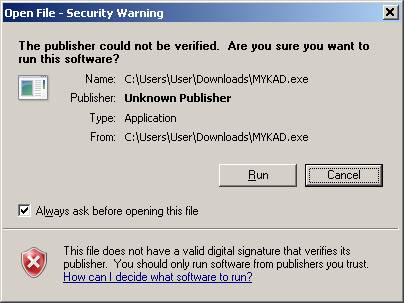
Click "Run" when prompted as shown above.
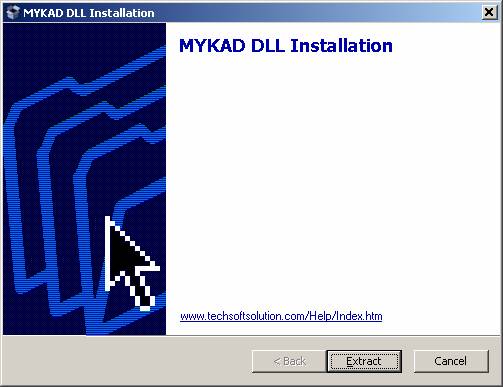
Step 3: Extracting Files by clicking "Extract"
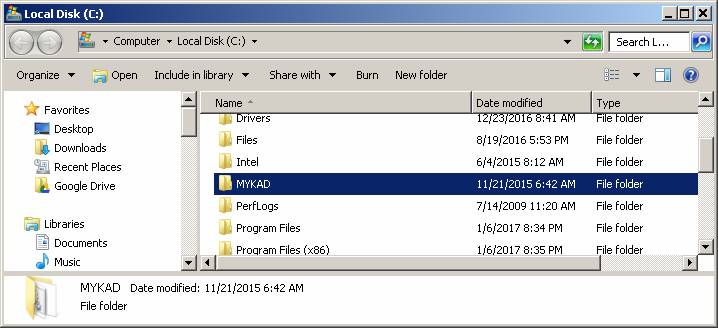
Step 4: Locate the MYKAD folder in your C drive. Doubleclick to enter the folder.
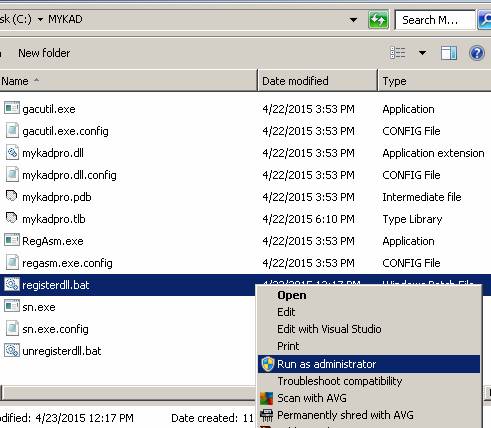
Step 5: Locate the file "registerdll.bat", RIGHT-CLICK and select "Run as administrator"
Step 6: The following screen should appear. When the "Press any key to continue...", press the space bar and the screen will disappear.
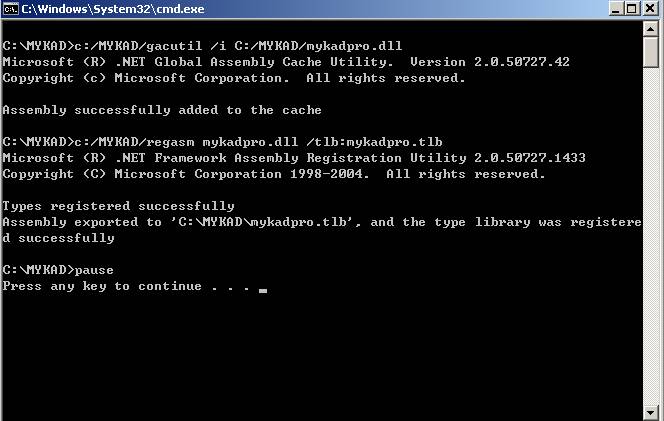
Step 7: Connect the MYKAD reader (Without inserting any MYKAD) to the PC and wait for Windows to auto complete the driver installation. **You need internet connection at this step**
Step 8: After completing the installation, open GJIS and click Setting-Employee. Insert a MYKAD, wait a sec and press "Read MYKAD" to check if data from MYKAD will be displayed.